


Client overview
Our client is a U.S.-based research lab working on human-AI interaction. They want to build AI systems that can use digital platforms in ways that look and feel like real human behavior. To achieve this, they needed large volumes of realistic user interaction data.
The project centered on popular apps such as Facebook, Instagram, Trello, GitHub, Jira, and Slack. By collecting screen recordings of simulated human behavior, the client aimed to train large language models (LLMs) capable of navigating these platforms autonomously.
What the client needs
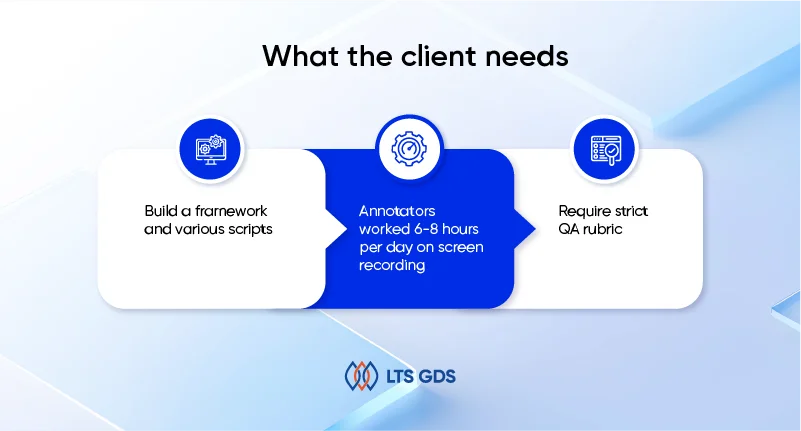
The client requested us to simulate human activity on multiple apps and capture those interactions as training data for LLM development. The requirements were demanding:
– We need to build a framework and various scripts. Following this, we had to generate as many diverse tasks as possible according to the above scripts.
– Annotators worked 6-8 hours per day on screen recording, simulating natural usage of apps.
– Actions had to follow a rhythm of about 2-3 seconds per interaction, mimicking how people actually use apps and improving natural interaction speed.
– Annotators communicated directly with the Project Manager in a one-to-one format, as though they were interacting with an AI model.
– Require strict QA rubric (accuracy, completeness, efficiency, quality, setting, and keyboard/mouse operation).
– This project prioritizes diverse scripts & behaviors, and the accepted error rate is up to 10%.
How we did it
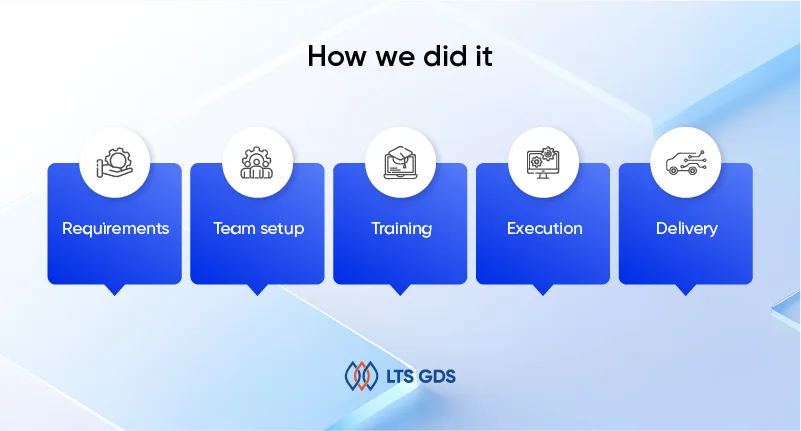
To meet the client’s requirements, we designed a workflow that combined task scripting, natural behavior simulation, and close supervision.
1. Requirements:
At project initiation, our team held detailed discussions with the client to confirm expectations. Because no step-by-step guidelines existed, we defined the scope based on the following criteria:
– Which apps to include and which versions (free vs. premium accounts).
– What kinds of user actions mattered most (posting, liking, commenting, editing, shopping, applying for jobs, publishing content, etc).
– How to balance volume with realism, so that the dataset was large but also reflected natural human app usage.
2. Team setup:
We assigned a dedicated team of 45 people to the project:
– 2 Project managers – responsible for communication, quality checks, and alignment with the client.
– 3 Task creator – designed diverse scenarios for app usage, ensuring variation across platforms and account types.
– 10 QAs – applied multi-layer QA for tracking datasets.
– 30 annotators – carried out daily tasks, followed app interaction plans, and recorded their screens for 8 hours per day.
3. Training:
Annotators received practical training on how to perform these actions realistically and maintain the required interaction intervals. This ensured consistency across the dataset while maintaining natural behaviors.
– Social media apps: Posting, commenting, liking, following accounts, browsing stories.
– E-commerce & business apps: Creating shop items, editing templates, publishing a storefront, tracking orders.
– Content platforms: Writing and editing blog posts, uploading media, changing themes, and publishing drafts.
– Professional apps: Filling out application forms, editing resumes, submitting profiles.
4. Execution:
– Our team first built a flexible framework and wrote diverse scripts to guide app usage. These scripts served as templates for generating tasks across multiple platforms. From there, we created as many varied tasks as possible, ensuring coverage of different user behaviors and app functions.
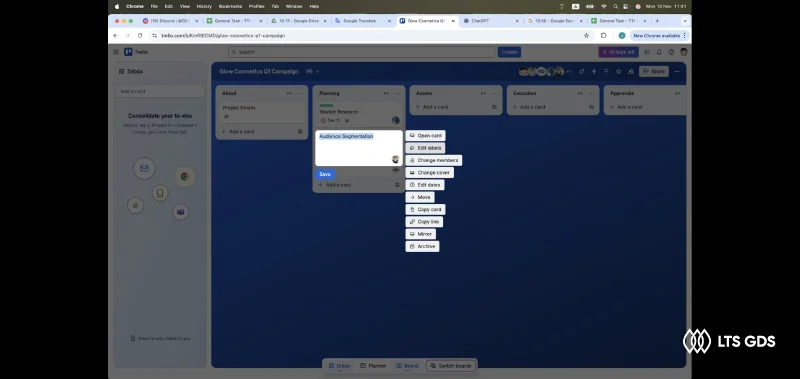
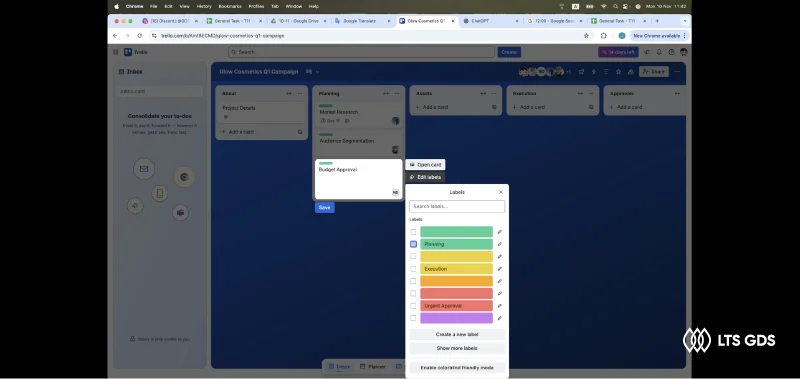
– Then, annotators recorded their activity following scripts for 6-8 hours per day, simulating real users as they navigated apps such as Facebook, Instagram, Trello, GitHub, Jira, and Slack. Teams carried out some actions: scrolling, posting, liking, and following at a 2-3 second rhythm to mimic natural user behavior. This pacing was essential for creating training data that looked realistic.
– Because the project emphasized diversity of scripts and behaviors over strict perfection, an error rate of up to 10% was accepted. This allowed annotators to act more naturally instead of rigidly following rules.
– This approach offered a large dataset that reflected the unpredictability and variety of real human app usage.
– Project managers monitored task completion, verified recording quality, and maintained communication with the client.
– The workflow produced thousands of minutes of video per week. Even with occasional natural mistakes, the overall accuracy rate consistently held above 98%.
5. Delivery
Because requirements could update quickly, communication kept going. The team used Slack for quick updates, Discord for one-on-one check-ins, and Excel sheets for task tracking.
Deliveries were made in regular batches to allow the client to feed the data directly into their AI training pipeline. Each delivery included:
– Screen recording files.
– A log of completed tasks.
– QA reports showing accuracy levels and interaction intervals.
What the results have

The project achieved both scale and quality:
– Built 45 experienced members.
– 400,000+ videos recorded during 1 year.
– 98% accuracy rate maintained during the project.
– 100% on-time delivery.
– QA rubric successfully standardized across all contributors.
– Clean, high-quality data validated by multiple QA layers.
– Expand the scope of the project to enhance our client’s AI training data pipeline.